Changelogs
June 18, 2025
v2.0: The World's Most Accurate Meeting Note-taker
Today we're excited to announce a major update. Based on all your feedback over the past month, we're introducing Caret 2.0, the world's most accurate meeting note-taker.
New Next-Gen Audio AI Model
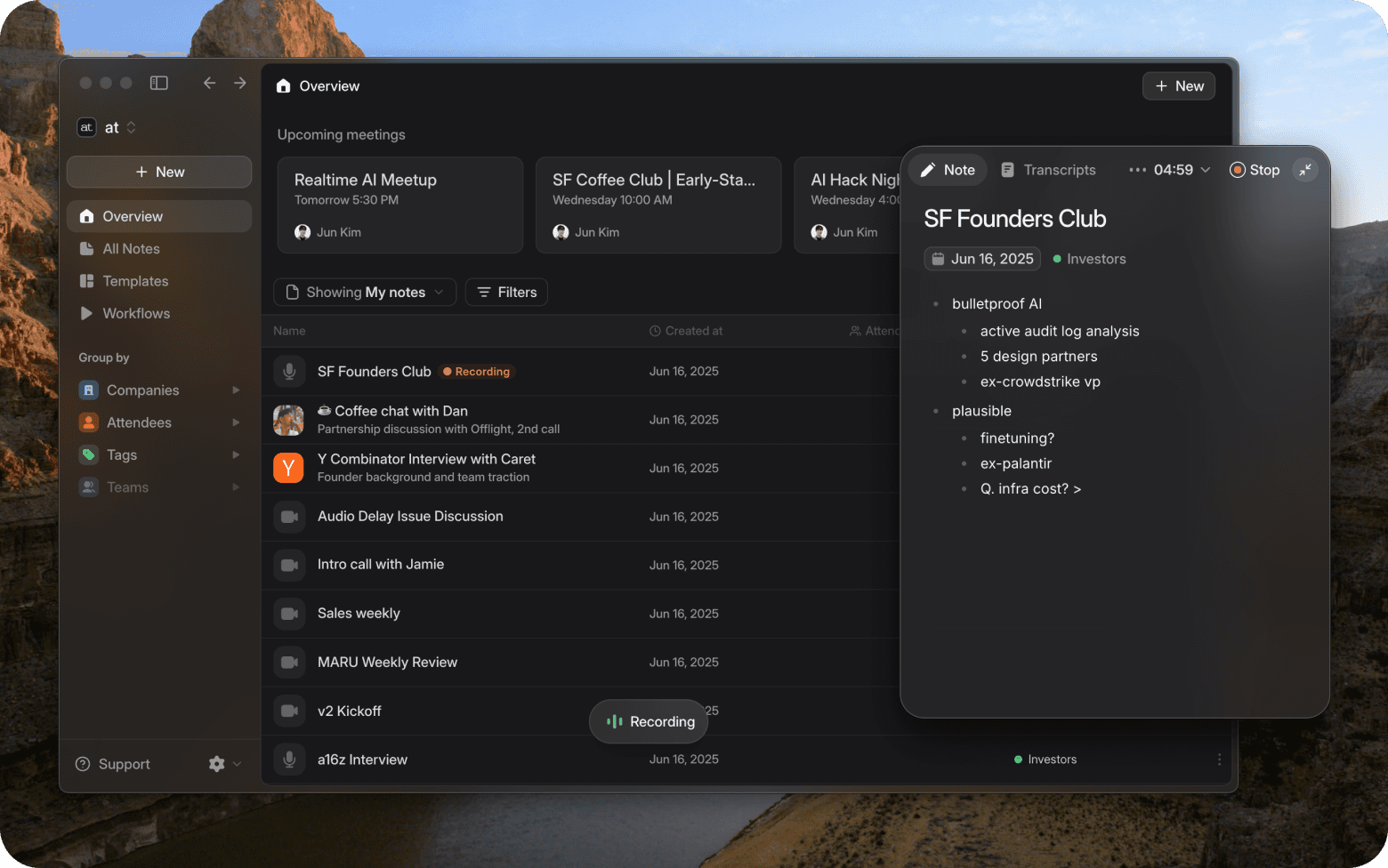
For 2.0, we've integrated a new audio AI model
to make Caret the most accurate and reliable
meeting note-taker in the world.
This model reprocesses the entire content after
recording ends, creating much more accurate
transcripts. While real-time transcription might
have slight errors, you'll experience how it
captures even the details you missed once the
meeting ends.
Accurate Recording of Quiet Voices
Even Offline
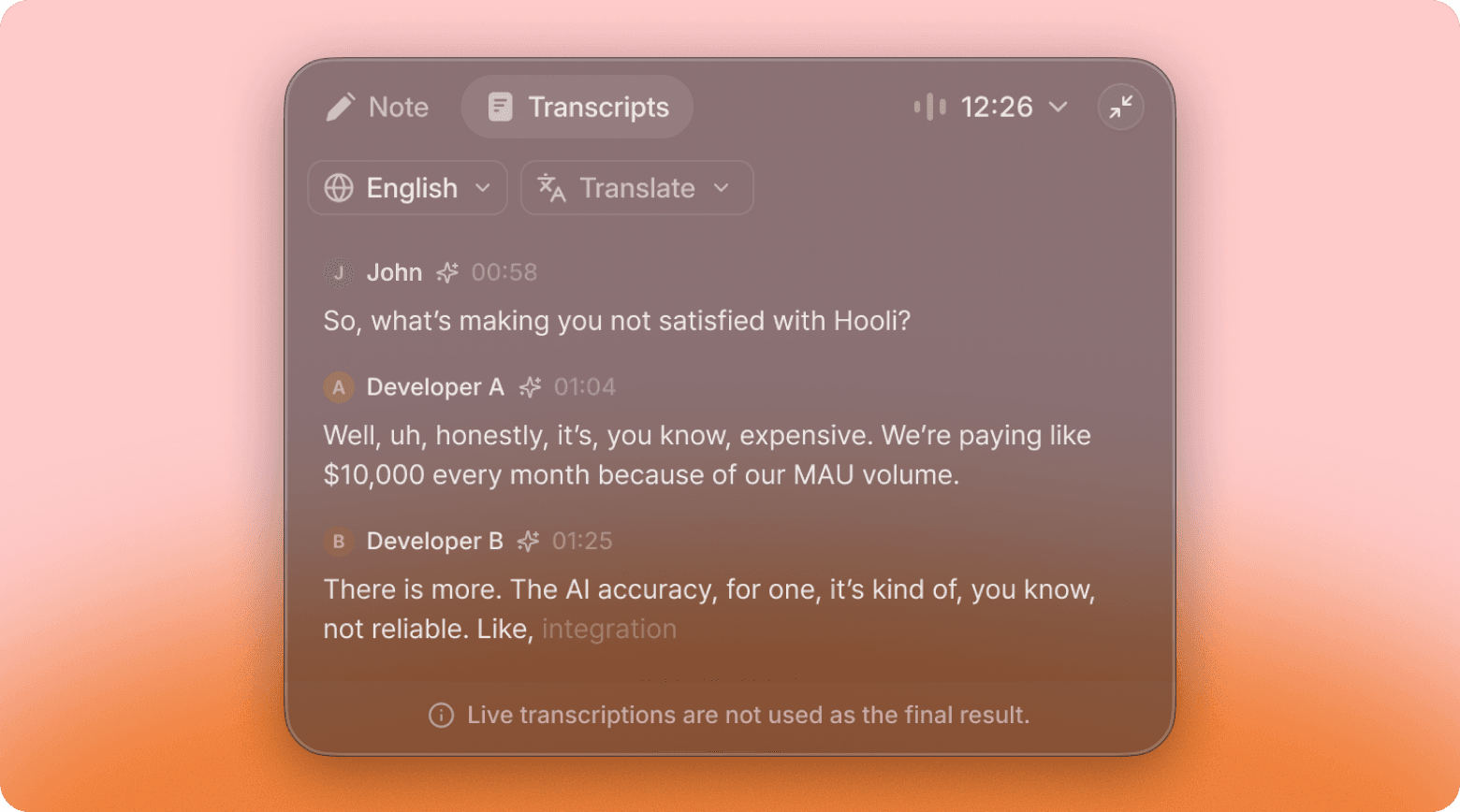
It captures voices from far away, even
background music. In tests conducted in noisy
environments like cafes, we reduced the
content loss rate from 41% to just 4%.
Speaker Separation with Name and
Role Recognition
Using audio sampling and LLM, we identify and
separate speakers more accurately. We also
understand conversation context to assign
appropriate names or roles (e.g., "A male with a
low voice, likely discussing frontend
development with a backend developer").
Automatic Multi-language Support:
No More Manual Language
Selection
Multi-language conversations and meetings are
now accurately transcribed without manual
language specification. Note: Real-time
conversations still require language selection.
We're testing this feature for future real-time
support.
Habla con el equipo de Seked hoy
Fewer awkward pauses. Better answers.
Focus on the conversation.
Agendar Demo
At Your Side Inc.
45 Lansing St, San Francisco
CA 94105
© 2025 At Your Side Inc. All rights reserved.
Terms of Service
Privacy Policy
Changelogs
01 Junio, 2026
v2.0: The World's Most Accurate
Meeting Note-taker
Today we're excited to announce a major update. Based on all your feedback over the
past month, we're introducing Caret 2.0, the world's most accurate meeting note-
taker.
New Next-Gen Audio AI Model
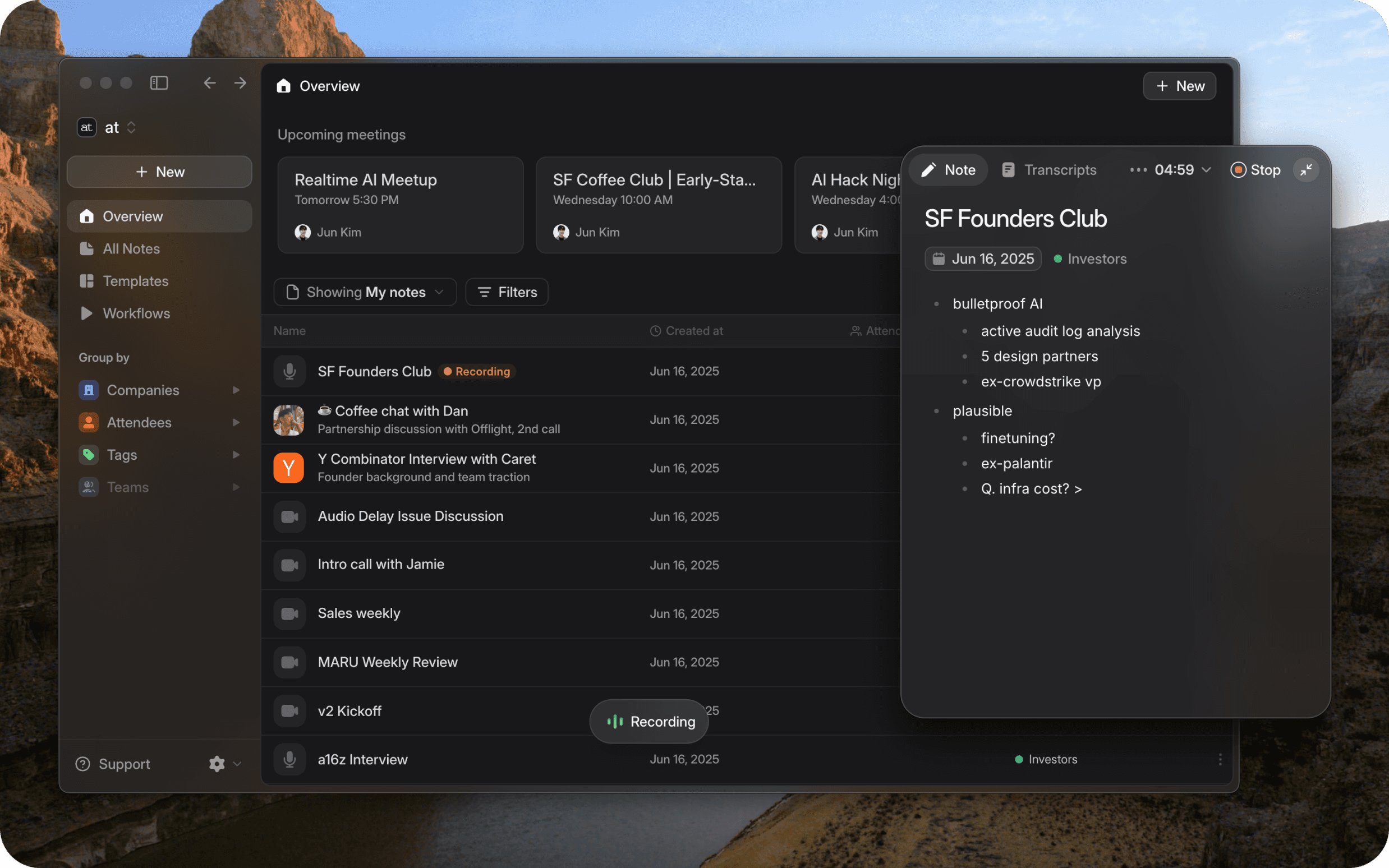
For 2.0, we've integrated a new audio AI model to make Caret the most accurate and
reliable meeting note-taker in the world.
This model reprocesses the entire content after recording ends, creating much more
accurate transcripts. While real-time transcription might have slight errors, you'll
experience how it captures even the details you missed once the meeting ends.
Accurate Recording of Quiet Voices Even Offline
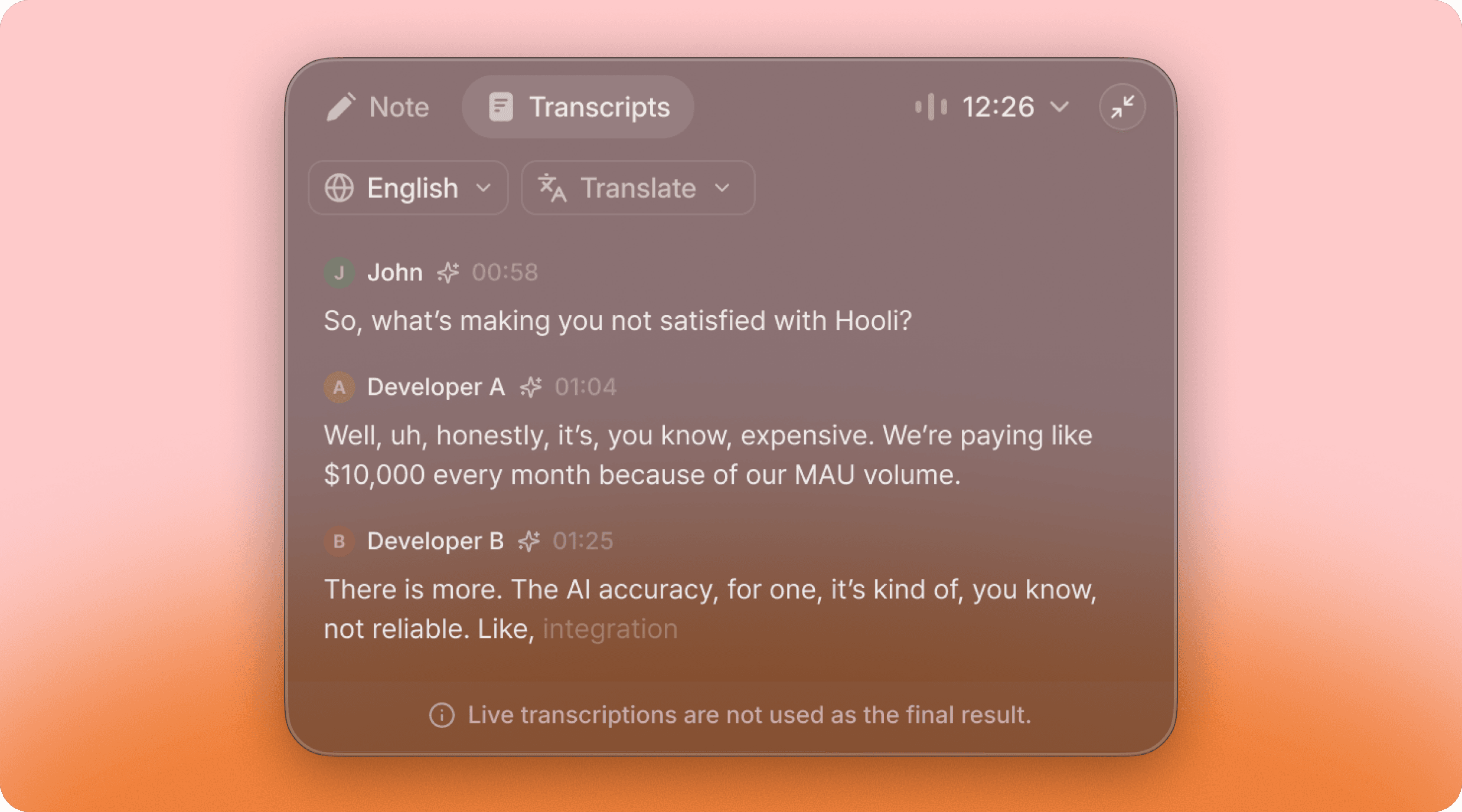
It captures voices from far away, even background music. In tests conducted in noisy
environments like cafes, we reduced the content loss rate from 41% to just 4%.
Speaker Separation with Name and Role Recognition
Using audio sampling and LLM, we identify and separate speakers more accurately. We
also understand conversation context to assign appropriate names or roles (e.g., "A
male with a low voice, likely discussing frontend development with a backend
developer").
Automatic Multi-language Support: No More Manual Language
Selection
Multi-language conversations and meetings are now accurately transcribed without
manual language specification. Note: Real-time conversations still require language
selection. We're testing this feature for future real-time support.
Background Mode
During user interviews, we noticed countless browser tabs and apps on users' screens.
This made us wonder: "What does Caret need to help users focus more on
conversations?" Let us introduce the new background mode.

Recording Starts in 1 Second
Frustrated by Caret's recording delays? Now recording starts immediately when you
hit record.
Mini Recording Popup: Invisible During Screen Sharing
When recording starts, a much smaller mini recording popup appears. In mini mode, it
won't show up during online meeting screen shares.
You can still expand the popup to take notes or check real-time conversation content
and translations like before.
Safe Content Even When Internet Disconnects
Background mode is designed to keep recording even when internet disconnects. If
the network goes down, recordings remain safe, and summaries automatically process
when connection is restored.
New UI
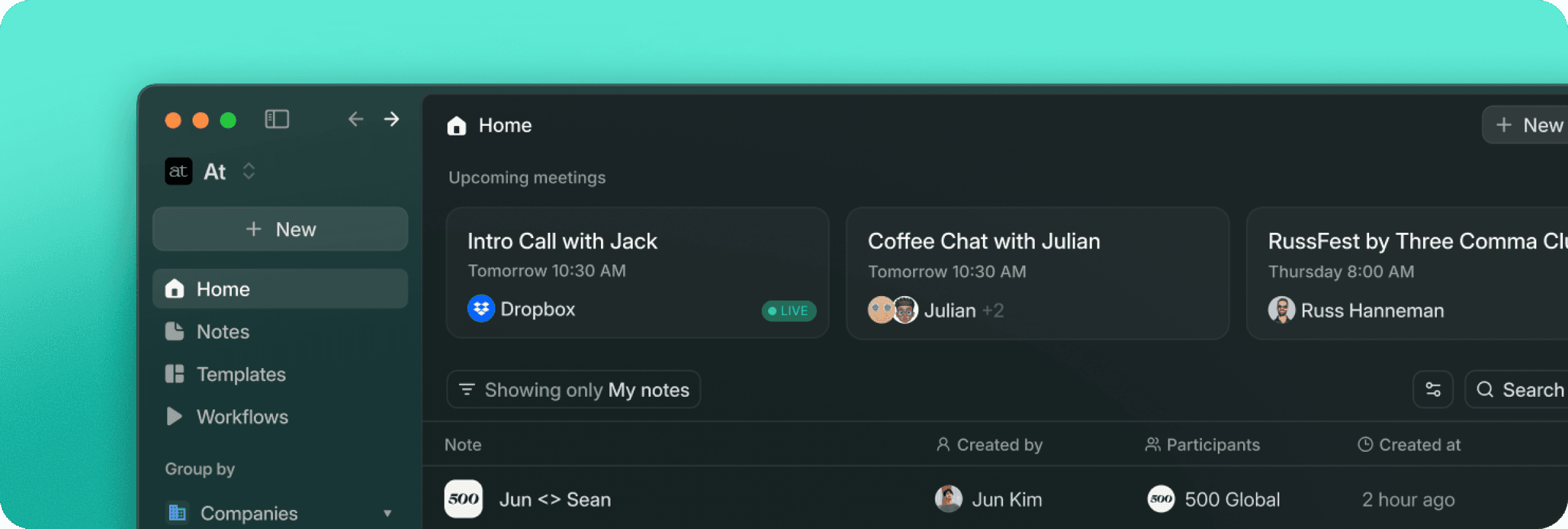
We've made initial loading much faster. In the notes screen, you can select columns to
view or filter by company, attendees, and more.
In note pages, we've brought out frequently used but relatively hidden features like
opening audio files and copying conversation records, making them more intuitive.
We've also moved the chat tab outside for easy summary editing and instant Q&A.
Team Performance at a Glance
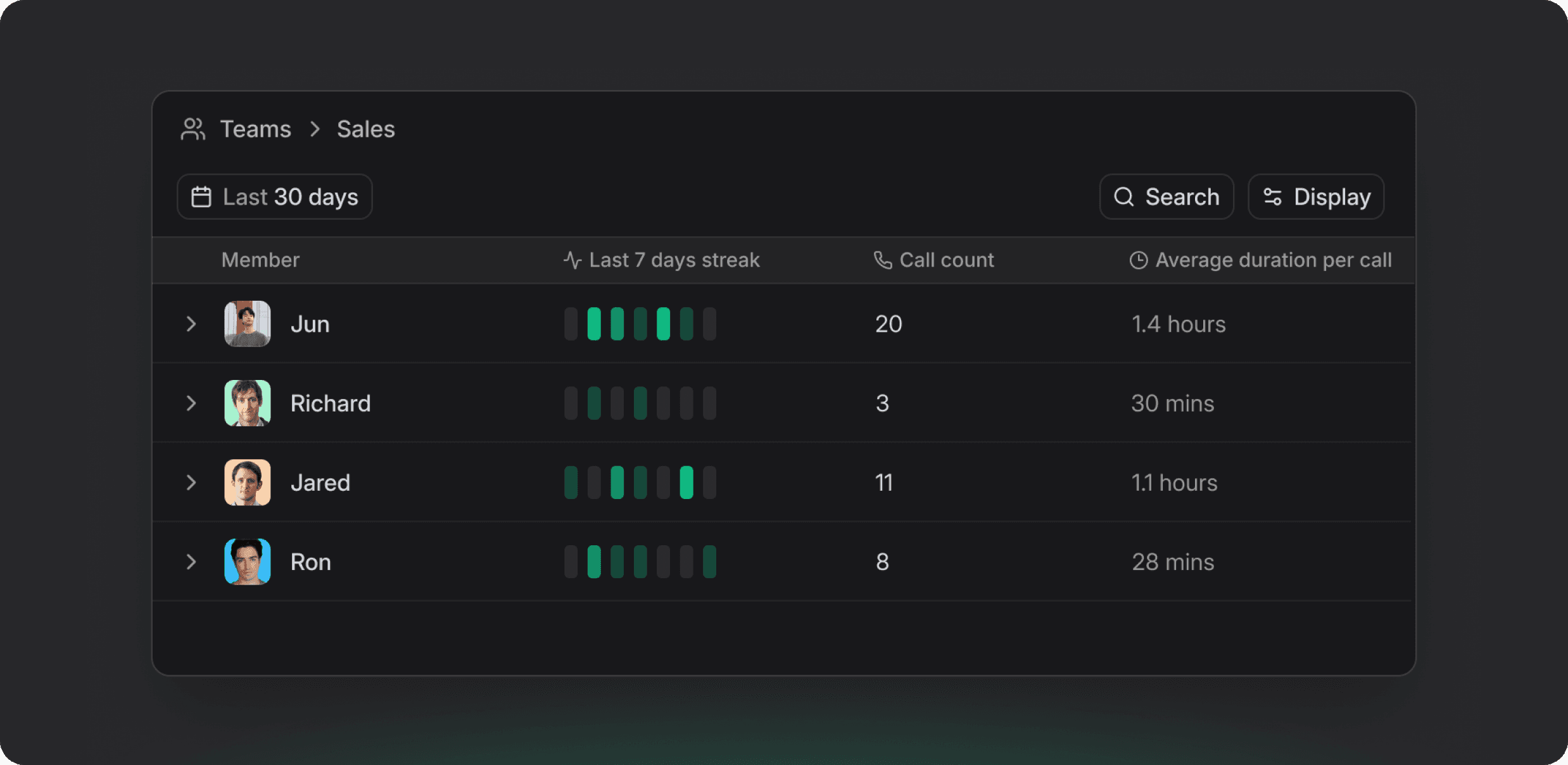
We've added a new Teams view in the left sidebar. Check each team member's recent
meetings, frequency, duration, and easily analyze team performance. (Available in
Enterprise plan)
Habla con el equipo de Seked hoy
Fewer awkward pauses. Better answers. Focus on the conversation.
Agendar Demo
At Your Side Inc.
45 Lansing St, San Francisco
CA 94105
© 2025 At Your Side Inc. All rights reserved.
Terms of Service
Privacy Policy